
Feature
POS integration: sales inside your operations
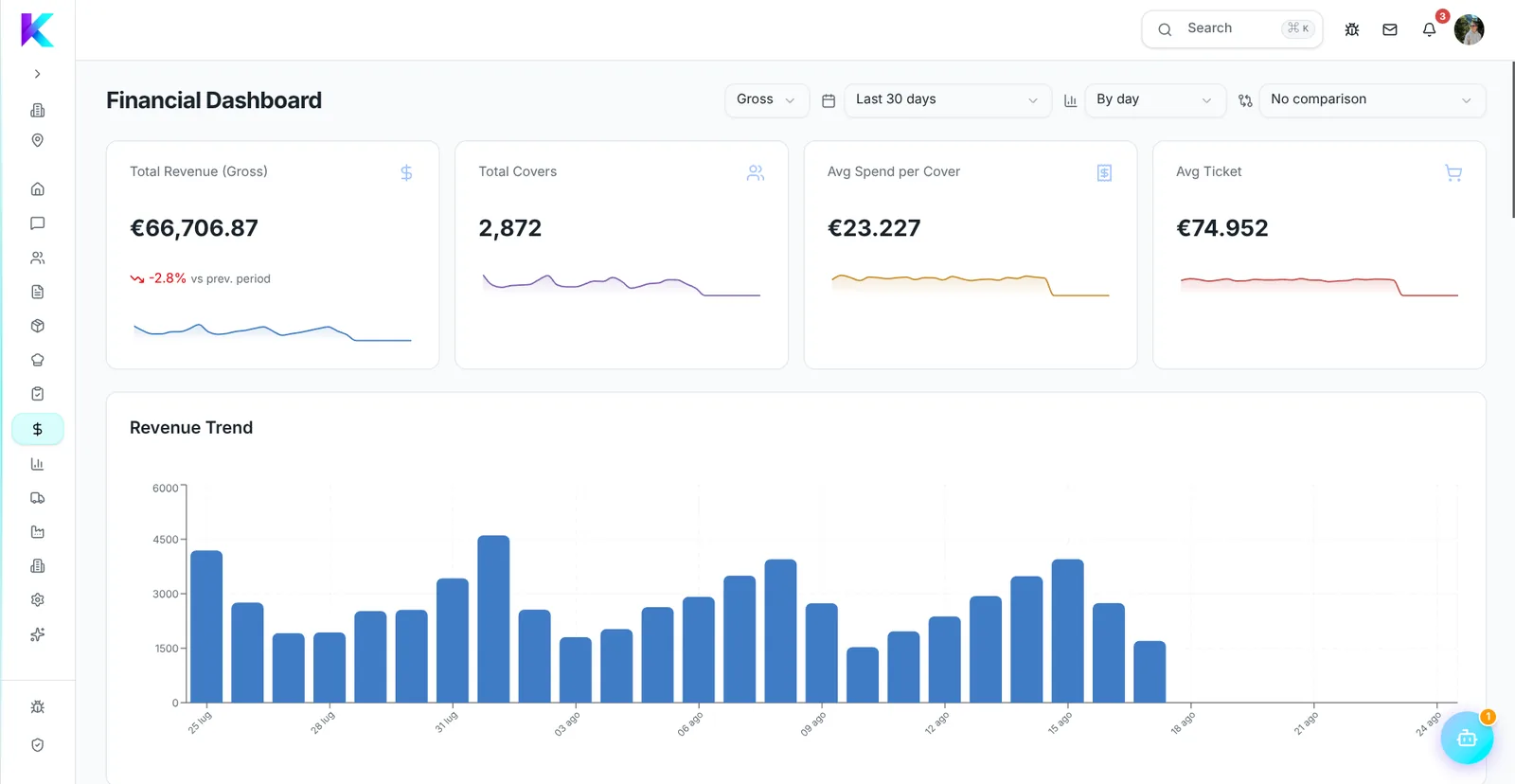
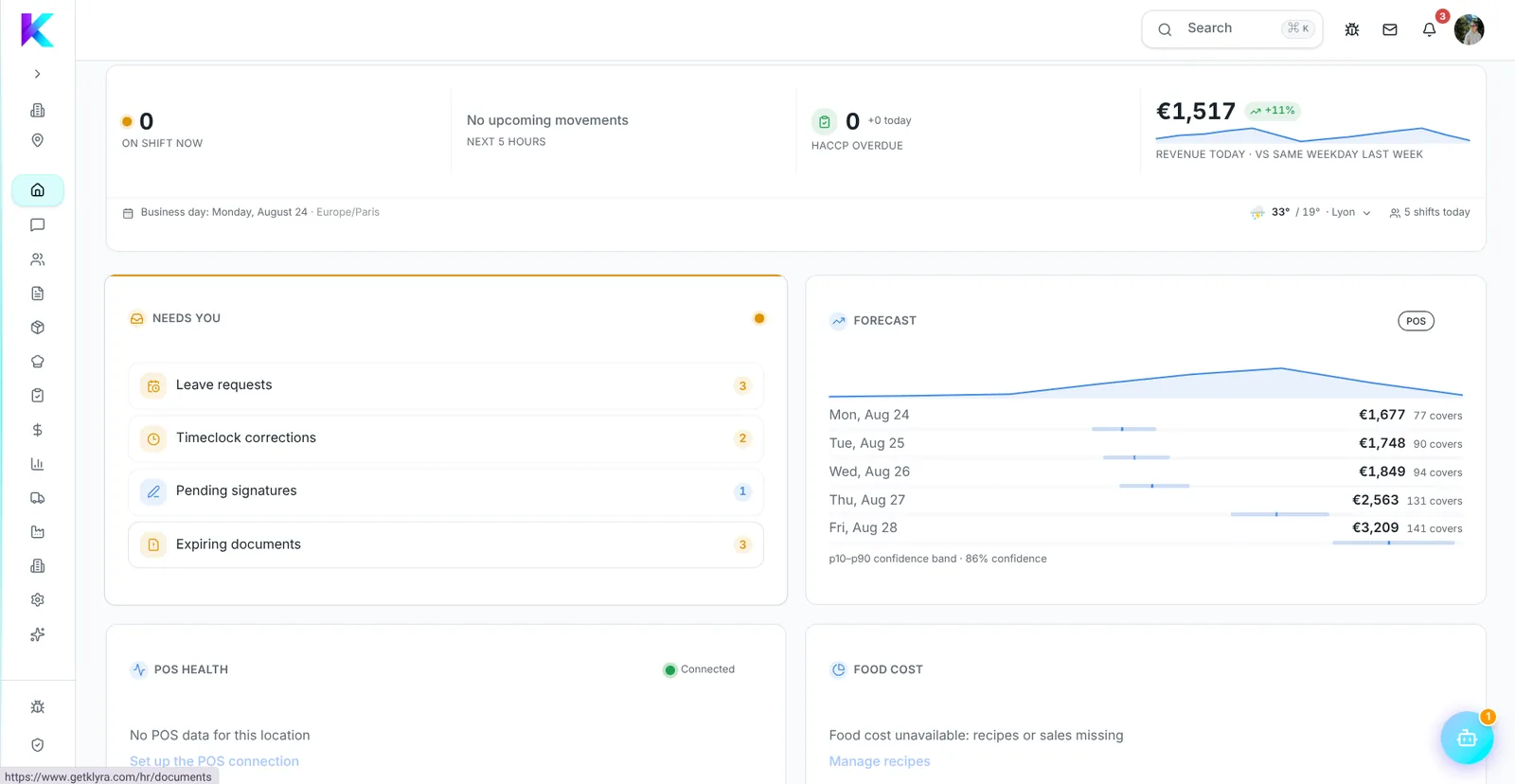
POS sales become operational data: they feed food cost, demand forecasting and time-band analysis.
Why the POS alone is not enough
Data locked in the till
Revenue stays inside the POS and never talks to inventory or recipes.
Backward-looking analysis
You know how yesterday went, but not what to expect tomorrow.
Different systems per site
With several POS systems, comparing locations becomes impossible.
How it works
1. Connect the POS
The integration brings items and sales into a unified data model.
2. Normalise the data
POS items are mapped onto Klyra products and recipes.
3. Use sales in operations
Sales feed forecasting, food cost and time-band analysis.
Klyra in pratica
What you get
- Unified model
- One data structure across POS vendors
- Forecast
- Predictions based on real sales
- Time-band analysis
- See where revenue concentrates
- Multi-site
- Comparable location benchmarking
Frequently asked questions
Which POS systems are supported?
The architecture is built on a unified POS model; the first connector is Lightspeed Restaurant (K-Series), with others added on the same model.
Does Klyra replace the POS?
No. Klyra runs operations and reads sales data from the POS you already use.
Is technical work required?
The connector is configured from the admin area using credentials issued by the POS.
Is historical data imported?
It depends on the connector and on what the POS vendor exposes.
Can I test without connecting a POS?
Yes, a simulation mode lets you evaluate the flow before a real connection.
Continua a leggere
Approfondimenti
Connect your POS to operations
Sales, food cost and forecasting in one system.
Prova gratis